Plasma

Cheat Codes:
------------
Submitted by: David K.

Guide to Make Planes:
---------------------
Written by Noiro1

-=Jet Planes=-
* Make the shape/body of your plane.
* Add the main thruster(s).
* Make the shape of your wings (and stabilisers) using the “wing”
  piece, (or any other piece).
* Where the flaps of the wings (and stabilisers) are going to be,
  you will place a servo and another wing (or flat object) with
  the same size (on the servo), then offset it by -100%.
* At the tips of the flaps, add thrusters, then rotate and offset
  them inside of the flaps.
* Add a docking station inside the cockpit and offset it +100% above
  where the base of the seat is meant to be (this should be head
  height).
* Add a joystick in front of the docking station and link it’s
  vertical position to the pitch, and horizontal to the roll (I
  often use math to limit the angles by dividing.)
  (If you have added yaw) add a knob next to the joystick and set it
  to steps mode with 9 steps, you can then use a ticker to set the
  knob (on start) to 5, then the output of the knob should be put
  into math block ((V1*20)-90) then connected to the yaw single-axis-
  joint/servo.
* Then add the glass for the cockpit attatched to a single-axis-joint,
  and 2 buttons (one inside and one outside) that will go into a flip-
  flop (in the sketch) that will then go into the single axis joint
  changing it’s angle resulting in opening the cockpit.
* Link the thrusters’ state into a switch in the cockpit, or the space
  key on the docking station (main thruster should have 100% power,
  while the flap thrusters should have around 75%).
* Add a gravity controller to the plane and offset it inside, then
  inside the sketch link the trigger for the thrusters to the state
  of the gravity controller (no gravity if on, gravity if off).
* Paint and stuff.
* Flipped stuff?, negate the input.

-=Propeller Planes=-
* Make the shape/body of your plane.
* Make the shape of your wings (and stabilisers) using the “wing”
  piece, (or any other piece).
* Where the flaps of the wings (and stabilisers) are going to be,
  you will place a servo and another wing (or flat object) with the
  same size (on the servo), then offset it by -100%.
* At the tips of the flaps, add thrusters, then rotate and offset
  them inside of the flaps.
* Add a docking station inside the cockpit and offset it +100% above
  where the base of the seat is meant to be (this should be head height.
* Add a joystick in front of the docking station and link it’s vertical
  position to the pitch, and horizontal to the roll (I often use math to
  limit the angles by dividing.)
  (If you have added yaw) add a knob next to the joystick and set it to
  steps mode with 9 steps, you can then use a ticker to set the knob (on
  start) to 5, then the output of the knob should be put into math block
  ((V1*20)-90) then connected to the yaw single-axis-joint/servo.
* Add a motor on the front then design a propeller on the front of it.
* Add a second motor facing opposite from the propeller between one of
  the segments in the body with a round plate attatched to it (this will
  cancel out the torque).
* Add a lever in the cockpit and run it into math (V1*15) (this will be
  how much faster it is) then into the two motors.
* Test the torque cancellation by dropping the plane with the lever turned
  up, if it is spinning the opposite way to the propeller than you can
  raise the mass of the round plates or even add more offset inside, and
  if it is spinning the same direction to the propeller, then you can lower
  the mass of the round plates, or remove some if necessary.
* Add a thruster connected to the back of the propeller (multiple if necessary)
  then link it’s power to the lever’s output position.
* Add the glass for the cockpit attatched to a single-axis-joint, and 2 buttons
  (one inside and one outside) that will go into a flip-flop (in the sketch)
  that will then go into the single axis joint changing it’s angle resulting
  in opening the cockpit.
* Link the lever’s output position into some math (V1/1.3) then into the flap
  thrusters’ power.
* Add a gravity controller to the plane and offset it inside, then inside the
  sketch link the lever to a number comparator node’s first number input, then
  in the bottom put in the percentage of max speed required to fly then link
  the pass output to be a boolean of true into the gravity controller’s state,
  and the fail output to be a boolean of false into the gravity controller’s state.
* Paint and stuff.
* Flipped stuff?, negate the input.
 |
|
|
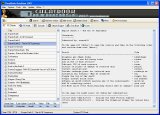
CheatBook DataBase 2026 is a freeware cheat code tracker that makes hints, tips, tricks
and cheats (for PC Cheats, Walkthroughs, PSP, Sega, iPhone, Wii U, Playstation, Playstation
2, XBox, Playstation 3, Nintendo 64, DVD, Gameboy Advance, Gameboy Color,
N-Gage, Nintendo DS, gamecube, XBox 360, Dreamcast, Super Nintendo) easily
accessible from one central location. (Release date January 10, 2026)
- All Cheats and Codes inside from the first CHEATBOOK January 1998 until today.
More Infos |
| | |
|