operator

Cheat Codes:
------------
Submitted by: David K.

How to Customize Your Weapon:
-----------------------------
Written by PlanetMars

-= Select Your Base Weapon =-
Before we can embark on our customization adventure, we need a trusty
base weapon. Choose wisely, for this will serve as the canvas for your
masterpiece. Would you prefer a rubber chicken launcher or perhaps a
baguette bazooka? The choice is yours, dear soldier!

-= Pick Your Paint Job =-
Every good customized weapon needs a snazzy paint job to show off your
personal style on the battlefield. From neon pink polka dots to psychedelic
swirls, let your imagination run wild! Remember, the more eye-catching, the
better. After all, who needs camouflage when you can blind your enemies
with sheer style?

-= Attach the Accessories =-
Now it’s time to accessorize like there’s no tomorrow! Want a scope that
resembles a magnifying glass? Done. How about a bayonet shaped like a banana?
Absolutely! Don’t forget to throw on some unnecessary tactical rails and a
flashlight brighter than the sun. Your weapon should be as impractical as
possible – that’s the name of the game!

-= Sound Effects Galore =-
Who says guns have to be boring? Spice up your gameplay with an array of
ridiculous sound effects for every action. From a quacking duck for reloading
to a kazoo for firing, the possibilities are endless! Just be prepared for
your enemies to laugh themselves into submission.

-= Name Your Creation =-
Last but not least, give your one-of-a-kind weapon a fitting name that strikes
fear into the hearts of your foes. Whether it’s the “Fuzzy Wuzzy Wombat Blaster”
or the “Tickle-Me-Tactical Tornado,” let your creativity shine! Bonus points
if your weapon’s name is longer than the Declaration of Independence.


How to Heal Your Wounds:
------------------------
Written by verg

Ever been shot in the gut after putting one of those rednecks down, and not
knowing how long you have to kill the rest and get out? Don't worry, I'm here
to help!

-= Press and hold H =-
This is not listed in the keybinds, but this is how you access healing, as well
as gestures and voice commands (WIP)

-= Find the body part that got hit
The little homie on your screen will tell you where you got hit, so after
clicking on healing, pick the body part that's red.

-= Heal =-
Most of the options are a WIP, so your only choices are a bandage or morphine.
You get infinite bandages, but only one shot of morphine, so save it for when
you're really ?????? up.

-= Congratulations! =-
You're not gonna die! Now get in there and clean up the rest of those goons!
 |
|
|
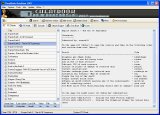
CheatBook DataBase 2026 is a freeware cheat code tracker that makes hints, tips, tricks
and cheats (for PC Cheats, Walkthroughs, PSP, Sega, iPhone, Wii U, Playstation, Playstation
2, XBox, Playstation 3, Nintendo 64, DVD, Gameboy Advance, Gameboy Color,
N-Gage, Nintendo DS, gamecube, XBox 360, Dreamcast, Super Nintendo) easily
accessible from one central location. (Release date January 10, 2026)
- All Cheats and Codes inside from the first CHEATBOOK January 1998 until today.
More Infos |
| | |
|