Metris Soccer

Hints and Tips:
---------------
Submitted by: David K.

-= Start With the Right Practice Mode =-
Start in Practice > Tutorial to learn the game's controls before playing a match.
One on One lets you practice moves against a defender. No AI lets you work on ball
control and shooting without computer-controlled opponents. Move to Local once you
are comfortable with passing, tackles, and trick timing.

-= Choose a Local Game Mode =-
Choose Team vs Team from Local for a standard three-on-three match against the AI.
Dynamic Tournament uses contracts with objectives you must complete within a set
number of matches. Local co-op lets players sharing the same PC play together.

-= Fill the Trick Bar and Use SkillBreaker =-
Perform tricks to fill the Trick Bar. Once the meter is full, SkillBreaker becomes
available. Activate it, then use tricks to beat defenders before shooting. Beating
defenders during SkillBreaker can add bonus goals if your shot goes in. Tricks alone
do not score those bonus goals.

Beat all three opposing defenders with tricks during the same SkillBreaker sequence
to win the match immediately. To go for that instant finish, keep possession and
seek out defenders you have not beaten yet rather than taking an early shot.
Otherwise, finish a scoring chance to claim the bonus goals you have built up.

-= Complete Dynamic Tournament Contracts =-
1. Choose Local, then Dynamic Tournament, and read the active contract before
   playing the next match.
2. Check the required action and the number of matches allowed. Contracts may call
   for shots, goals, or side tackles; extra goals will not necessarily count toward
   a different objective.
3. Focus on the required action: attempt shots, finish scoring chances, or seek out
   side-tackle opportunities, depending on the contract.
4. Track your progress and adjust your tactics before you run out of matches.

-= Adjust Match Time and Score Limits =-
Local match setup offers time limits of 2, 3, 4, 5, or 6 minutes and score limits
of 3, 4, or 5 goals. Choose a short match or low score limit for quick practice.
A longer time limit gives you more chances to fill the Trick Bar, activate
SkillBreaker, and try different tricks. You can also select the ball, team, and
arena during setup.

-= Customize All Three Team Members =-
Choose Personalized Team to edit your three-player squad. You can change each
teammate's tricks, face, shirt, shorts, and shoes. Player attributes may also be
editable in the team editor. If that option appears, check each teammate's values
rather than assuming a new outfit improves performance. Assign the tricks you want
to use to the appropriate player.

-= Check Which Game Modes Are Available =-
Early promotional material advertised online three-on-three matches, Casual and
Ranked play, a single-player league, MetCoins, and further unlockable content. The
PC build described in early coverage instead offered Local and Practice. If a
promoted mode is missing from your menu, do not assume playing more Local matches
will unlock it.

Reference:
----------
-= Local Team Selection =-
The documented Local team-selection menu includes:
* Personalized Team
* UK, Brazil, Canada, Denmark, France
* Germany, Portugal, Spain, USA

-= Local Arenas and Match Settings =-
* Arenas: Rio, Tokyo, Indoor, The Cage, Beach.
* Time limits: 2, 3, 4, 5, or 6 minutes per match.
* Score limits: 3, 4, or 5 goals.
* Other selections: team and ball.

-= Practice and Local Modes =-
* Practice: Tutorial, One on One, No AI.
* Local: Team vs Team, Dynamic Tournament.
* Format: three-on-three street soccer; local cooperative play is supported.

Technical Issues:
-----------------
-= Camera View Hides Players or the Ball =-
Use the camera-angle setting during a match to change the view. The documented
early PC build offered six perspectives, with static or moving cameras and
half-field, full-field, side, front, and isometric views. If scenery hides a player
or the ball, especially in The Cage, try a clearer angle.

-= Delayed Tricks or Lost Player Selection =-
The early PC build supported keyboard and gamepad controls but not button
remapping. Xbox 360 and Xbox One controllers were reported to work. Reported
problems included delayed tricks, passes triggering too early, loss of player
selection, and unresponsive goalkeeper controls. Use Practice > One on One to test
trick timing. If selection or goalkeeper problems occur, check whether they recur
in Local matches. No reliable general fix has been confirmed.

-= Movement Stops During an Opponent's Trick =-
In the early PC build, an opponent's trick could briefly lock your player's
movement until the animation finished. If your player stops responding during a
trick, wait for the animation to end before checking the controls again. That
interruption alone does not mean your keyboard or controller has failed.

-= Change Resolution Before Starting the Game =-
In the documented PC release, screen resolution was set in a configuration
window before the game launched, not in an in-game menu. If that window still appears
when you start the game, choose your resolution there before entering a match.

-= Custom Team Names Revert After Restarting =-
A PC player reported that custom team names reverted after restarting. If that
happens, test one name change and restart again before making extensive edits. No
reliable fix or verified save-editing workaround has been confirmed.
 |
|
|
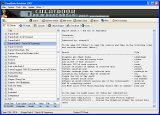
CheatBook DataBase 2026 is a freeware cheat code tracker that makes hints, tips, tricks
and cheats (for PC Cheats, Walkthroughs, PSP, Sega, iPhone, Wii U, Playstation, Playstation
2, XBox, Playstation 3, Nintendo 64, DVD, Gameboy Advance, Gameboy Color,
N-Gage, Nintendo DS, gamecube, XBox 360, Dreamcast, Super Nintendo) easily
accessible from one central location. (Release date January 10, 2026)
- All Cheats and Codes inside from the first CHEATBOOK January 1998 until today.
More Infos |
| | |
|